Grahamly Web

An autonomous financial analyst that runs on a cloud computer, accessed from your browser. Full desktop performance, zero setup.

Zero Setup

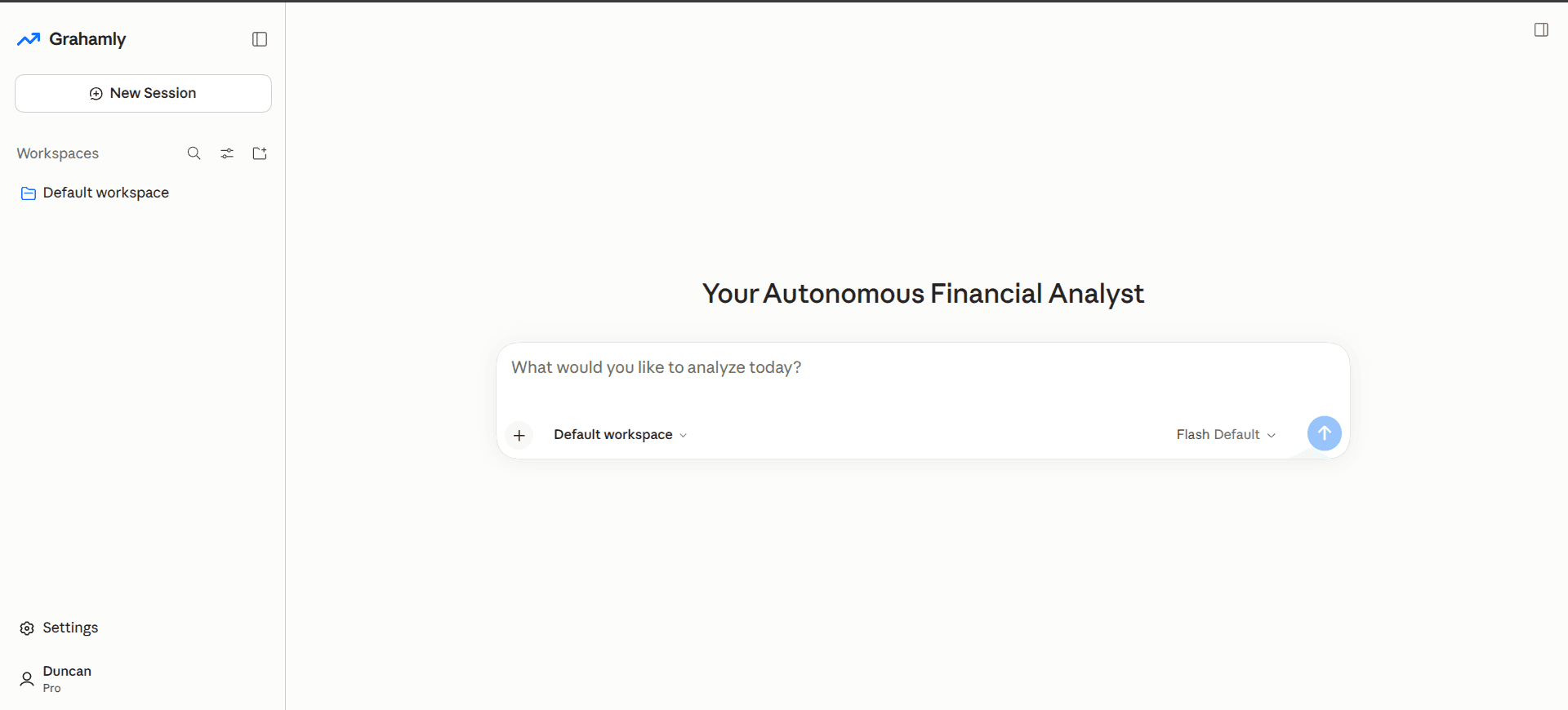
Your autonomous analyst, running in your browser.

We give you a dedicated cloud computer with the Grahamly harness already installed. Open it in your browser and work through a full computer interface, the same way you would on your own machine. Your analyst pulls filings, builds models and writes research on its own, at the same performance as desktop. Sign up, and you’re running in minutes.
Handling large-scale analysis or need full privacy?
Try desktop
terminal.grahamly.io
Grahamly Web Interface - Autonomous Financial Analyst in your browser

Pre-Installed Cloud Harness

A full execution environment, hosted and managed for you. No installs, local dependencies or API keys to configure.

Desktop Performance, Any Device

Build DCF models, audit 10-Ks and draft research memos from any modern browser, with the same speed and capability as the desktop app.

256-bit Secure Encryption

Bank-grade encryption in transit and at rest keeps your models, research and analyses confidential.

Got Questions?

Frequently Asked Questions

Everything you need to know about Grahamly Terminal & Chat.

What is Grahamly?
Grahamly is an autonomous AI financial analyst. Unlike simple chatbots that answer questions in a chat window, Grahamly can perform any financial analysis a human analyst does: build 3-statement Excel DCF models with live formulas, draft markdown research memos, analyze SEC filings, evaluate market data, and compile institutional decks.
What is the difference between Grahamly on web and Grahamly Desktop?
Grahamly is accessible immediately in your browser with zero installation for instant financial research, modeling, and autonomous analysis. Grahamly Desktop is our native desktop application for macOS, Windows, and Linux for users who prefer local file system integration and a dedicated workstation app. Both are included on all paid plans.
Which operating systems does Grahamly Desktop support?
Grahamly Desktop is available for macOS (Apple Silicon M1/M2/M3/M4 & Intel x64), 64-bit Windows 10 & 11, and modern Linux distributions (via AppImage). You can download all installers from /desktop.
Do you have an installation guide?
Yes. We have detailed installation guides for macOS, Windows, and Linux. Grahamly Desktop for macOS is Apple Developer signed for smooth 1-click launch, while our guides walk you through Windows SmartScreen setup and running the Linux AppImage. View the full Installation Guide.
What can I ask Grahamly to do?
Anything you would assign to a human financial analyst: build LBO or DCF valuation models in Excel, analyze earnings transcripts and SEC filings, audit redlines across 10-K disclosures, evaluate sector fundamentals, and compile slide decks with verified citations.
Is my data secure?
Yes. Grahamly uses bank-grade 256-bit AES encryption in transit and at rest. We never store financial credentials or execute trades. For desktop users, files are kept locally. In all cases, your prompts, financial models, and research are never used to train any AI model.
Can I connect my own tools and skills?
Yes. Grahamly supports the Model Context Protocol (MCP). You can connect custom tools, proprietary internal databases, and specialized skills, as well as connect Grahamly's financial tools directly to Claude and ChatGPT via https://mcp.grahamly.io.
Can I trust the numbers?
Yes. Every number, formula, and thesis is cross-checked against primary filings (SEC EDGAR, 10-K, 10-Q) and verified data sources. An auditor step adds citations with direct links, and Excel models contain working formulas rather than hardcoded figures.
How does Grahamly save finance professionals 100+ hours a month?
Time savings are grounded in verified analyst benchmarks. Building a 5-year DCF model from a 10-K typically takes ~6 hours manually. With Grahamly, you can generate production-grade DCFs, investment memos, and presentation decks in a short time. Reclaiming 3 to 4 hours of analyst grunt work each day easily amounts to 100+ hours saved every month.
How does the 7-day free trial work?
Start a 7-day trial on the Pro plan ($99/mo or $79/mo billed annually) with full access to both Grahamly and Grahamly Desktop. If you decide it's not for you, cancel in 1 click from your account dashboard before the trial ends and you will not be charged.
What does Enterprise include?
Enterprise is built for funds and teams requiring unlimited compute limits, custom solutions, air-gapped private VPC deployment, any AI model and custom routing, and a 24/7 dedicated support SLA. Talk to us at https://calendly.com/fazlulkarimweb/30-minute.
Investment committee partners on Alpine terrace overlooking lake

Meet your autonomous financial analyst.

Sign up free and give it your first assignment today.

7-day free trial · Cancel anytime